> ## Documentation Index
> Fetch the complete documentation index at: https://moengage-add-partner-guide-reddit-ads-conversions.mintlify.site/llms.txt
> Use this file to discover all available pages before exploring further.
# Why Does the Default SMS Connector Error Occur When Creating a Campaign?
> Resolve the default SMS connector error when creating campaigns by configuring and marking a default connector in MoEngage sender settings.
## Problem
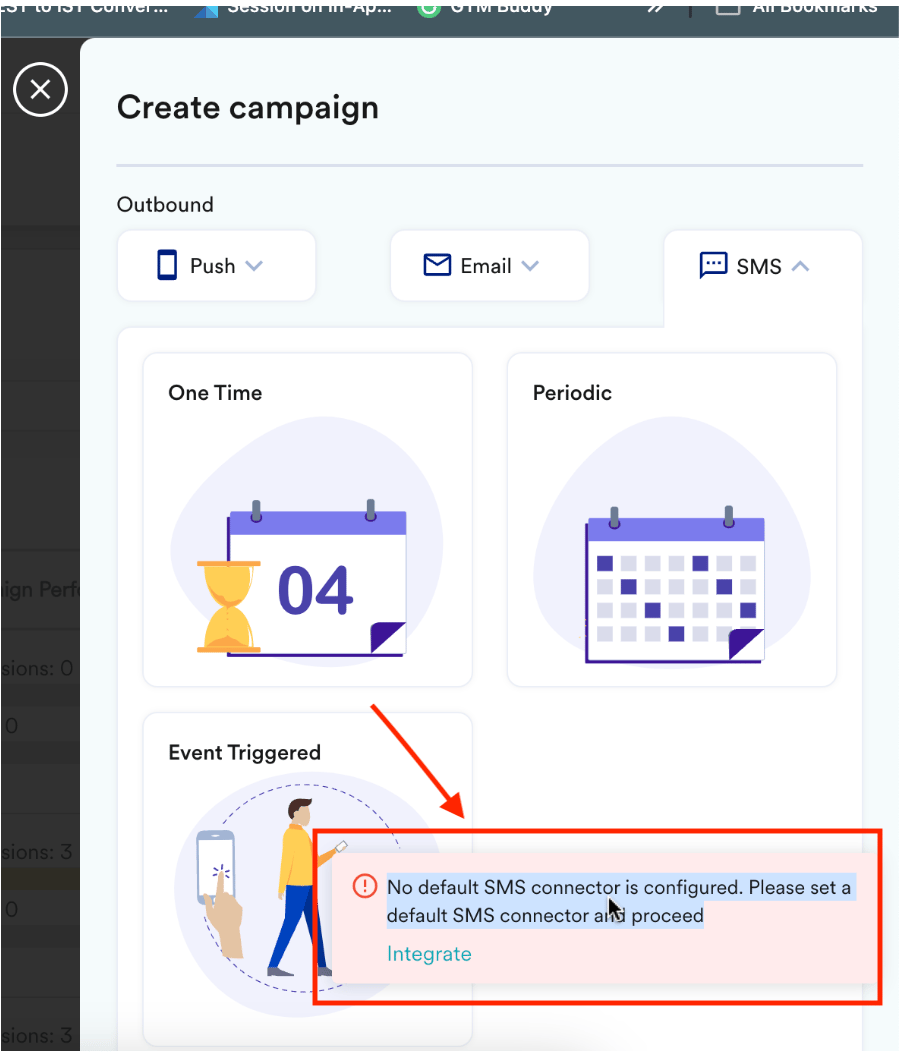
The following error is displayed during the SMS campaign creation:
No default SMS connector is configured. Please set a default SMS connector and proceed.
 ## Instructions
* You must configure an SMS connector to use SMS campaigns.
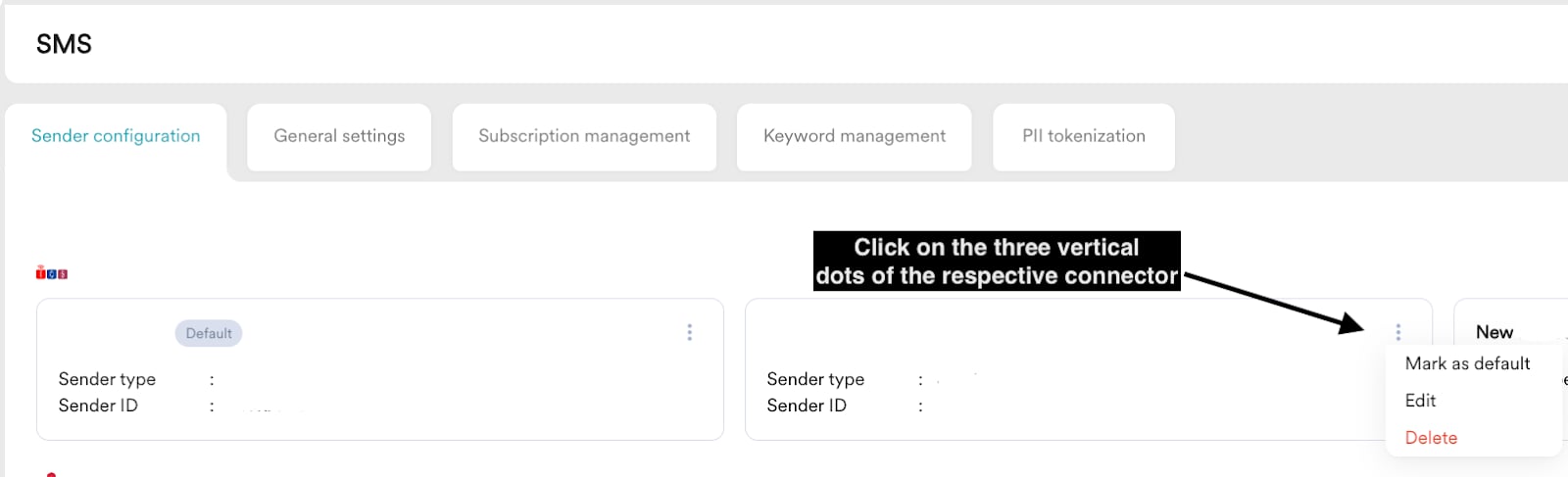
1. On the left navigation menu in the MoEngage dashboard, go to **Settings** > **Channels** > **SMS** > **Sender configuration**.
2. Hover over the required connector and click the ellipsis icon.
3. Click **Mark as default**.
## Instructions
* You must configure an SMS connector to use SMS campaigns.
1. On the left navigation menu in the MoEngage dashboard, go to **Settings** > **Channels** > **SMS** > **Sender configuration**.
2. Hover over the required connector and click the ellipsis icon.
3. Click **Mark as default**.
 * MoEngage supports multiple connectors, but you must select one as the default.
* You will encounter this error if you haven't set a default connector. Setting one as the default will resolve the issue.
* MoEngage supports multiple connectors, but you must select one as the default.
* You will encounter this error if you haven't set a default connector. Setting one as the default will resolve the issue.